
- Free
- No account
- No install
- Version 1.3.2
Write the estimate. Print the invoice. Get back to the car.
Shop Estimator is a free estimating and invoicing tool for independent repair shops, body shops and mobile mechanics. Open it in a browser, put it on your phone, or download it for Windows.
Nothing to sign up for. Your customers, vehicles and tickets stay on your own device.

Estimate #1001 Approved
Jane Doe · 2018 Ford F-150
| Replace front brake pads and rotors1.8 hrs @ $100.00/hr | $180.00 |
| Front ceramic brake padsQty 1 | $79.99 |
| Front brake rotorQty 2 @ $89.99 | $179.98 |
| Four-wheel alignmentDeferred - not in the total | $89.95 |
| Shop supplies | $9.00 |
| Tax | $21.52 |
| Grand total | $470.49 |
See it
Real screens from the app, shown with sample data.
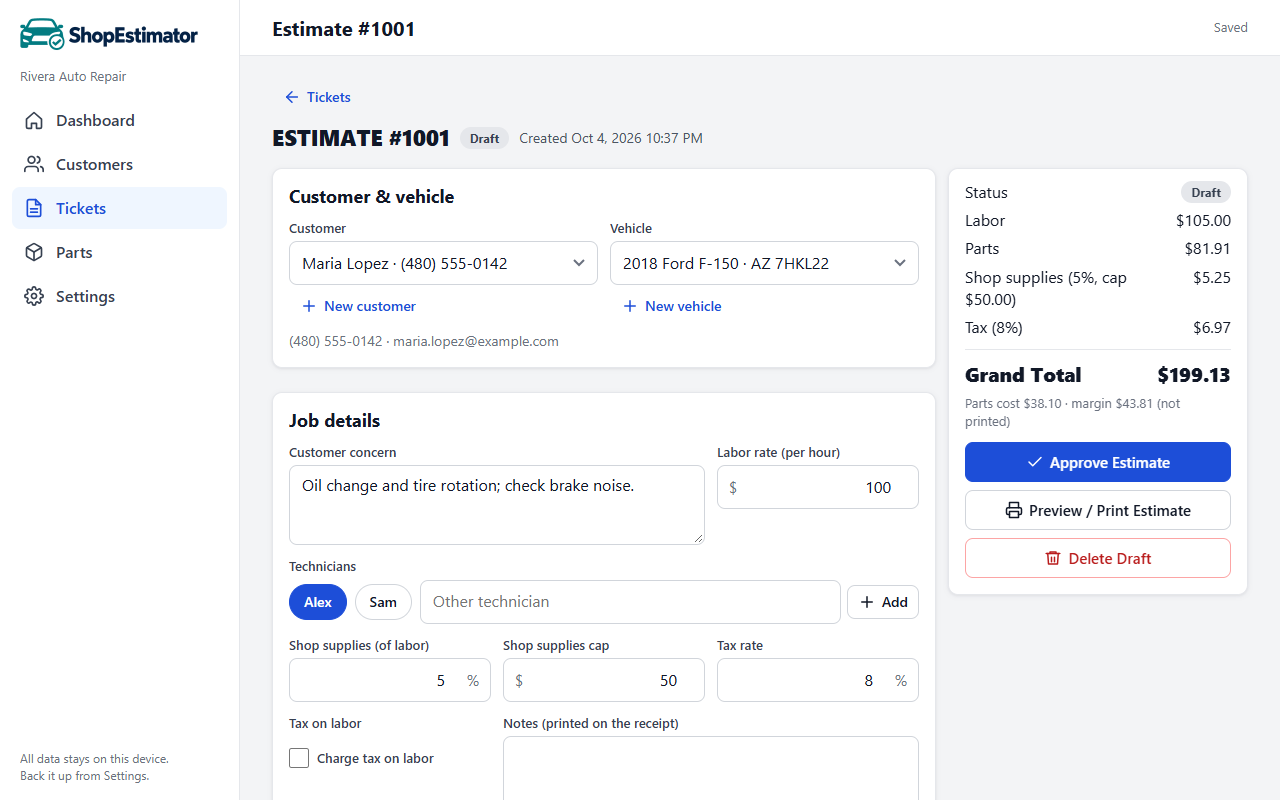
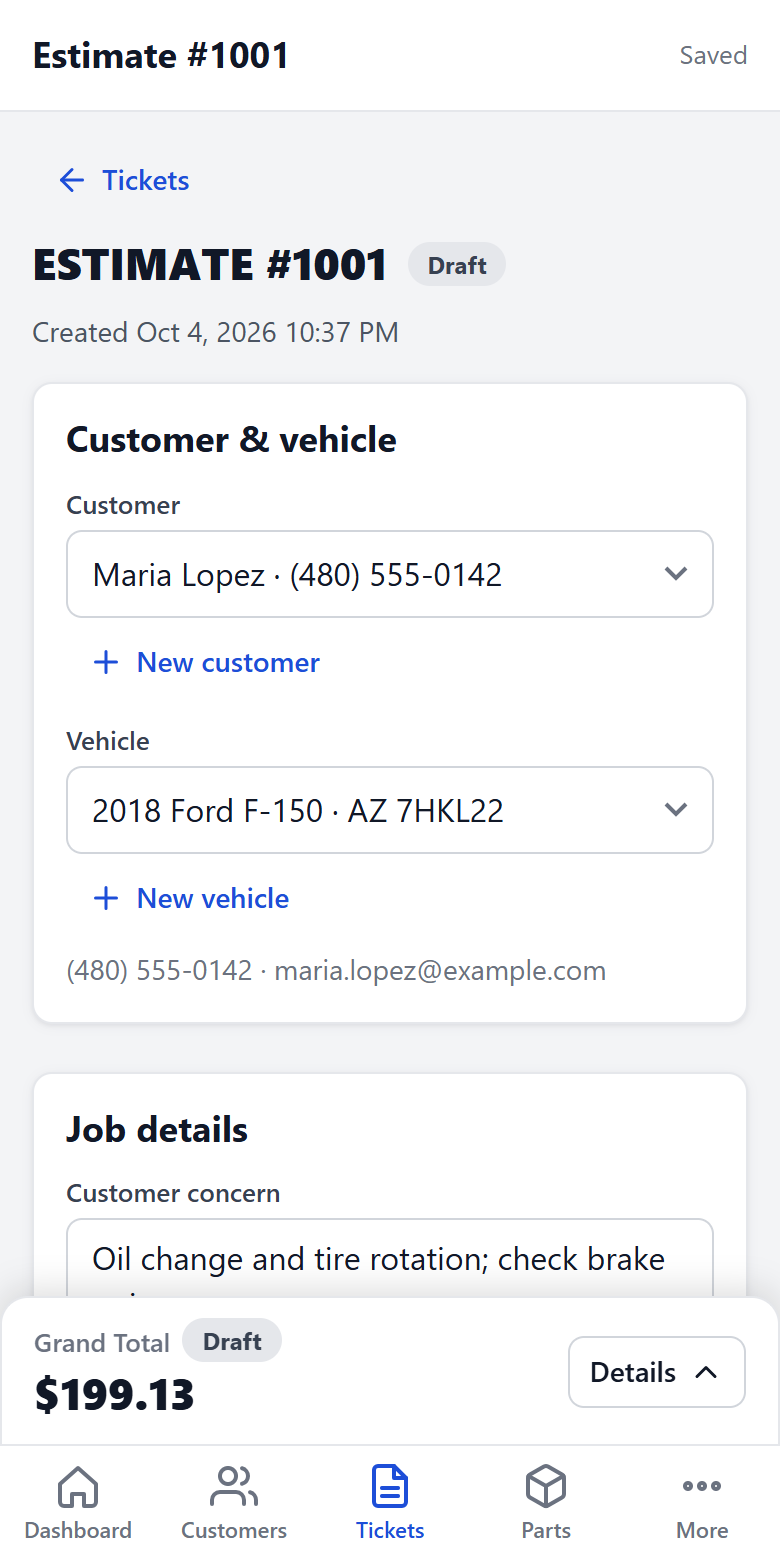
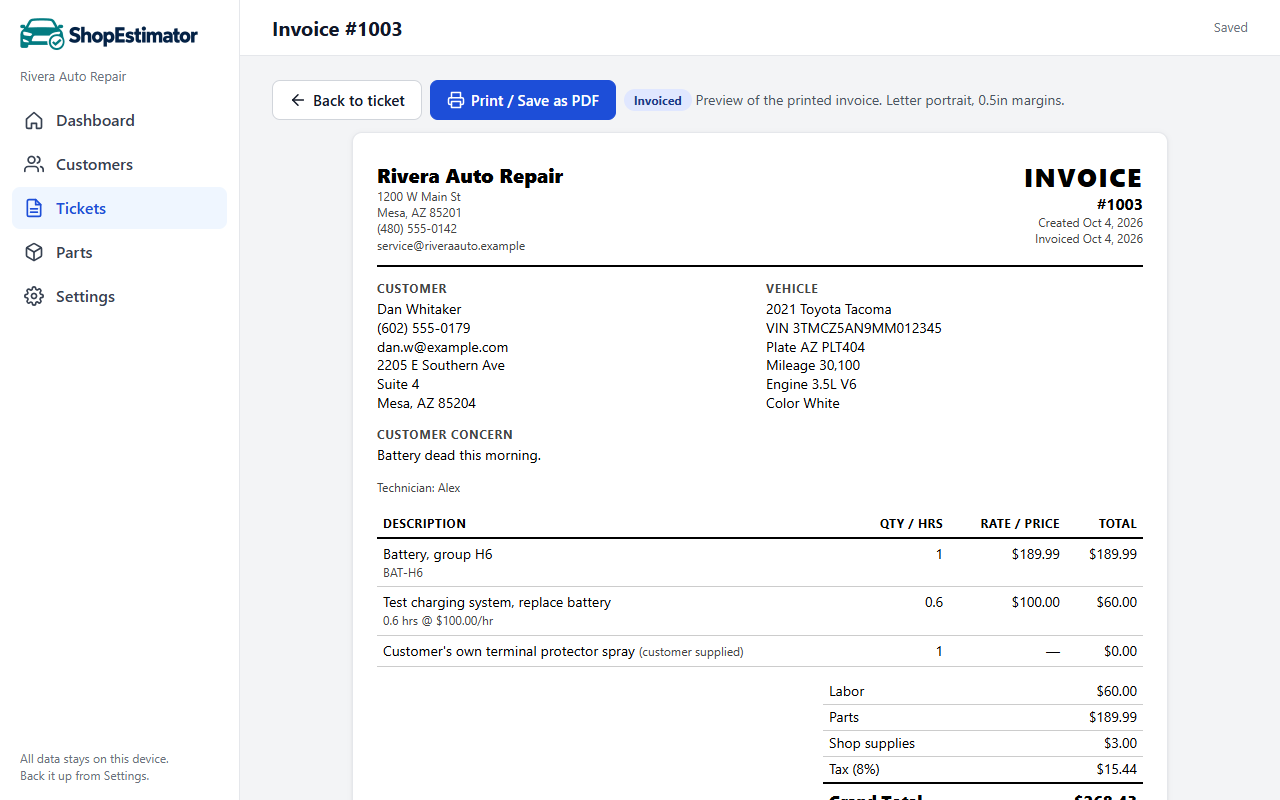
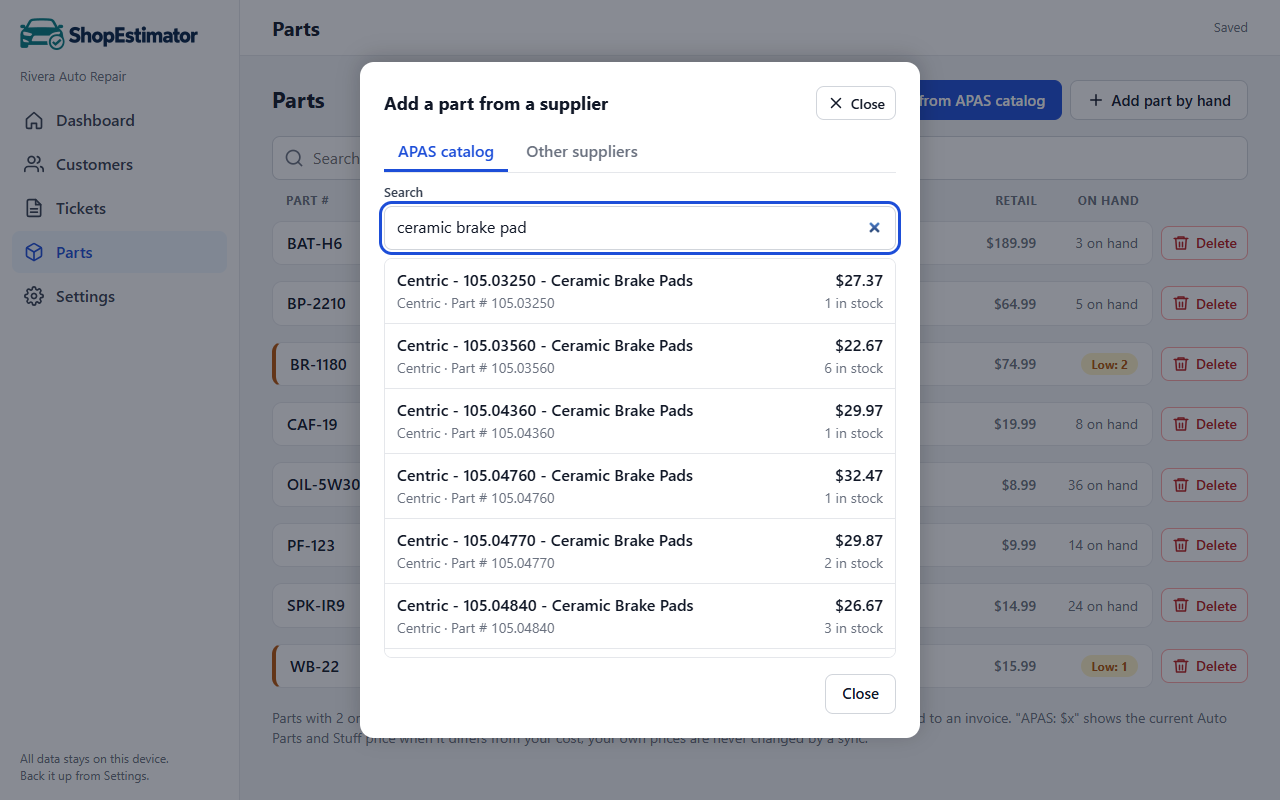
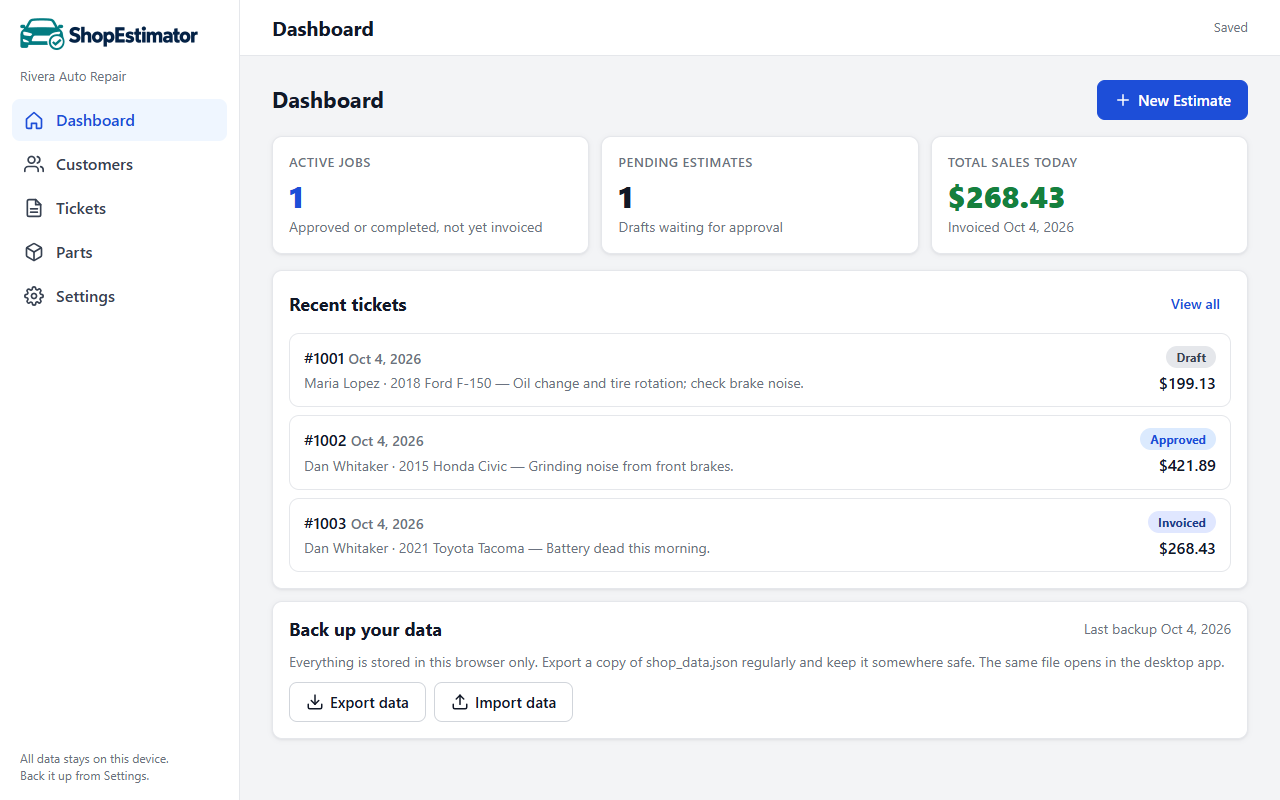
From the first estimate to the final invoice.
On your computer or phone, with printable paperwork for your customers.

Built for small shops
If you write estimates on paper, in a spreadsheet, or in software that costs more than it earns you, this is for you.
Independent repair
General mechanical work with parts, hourly labor and shop supplies.
Collision and body
Flat-rate jobs, customer-supplied parts, and work the customer puts off for later.
Mobile mechanics
Runs on your phone in a driveway, with or without a signal.
One-person shops
No setup beyond your shop name, labor rate and tax rate.
What it does
Everything on an estimate adds up as you type, and one click turns an approved estimate into an invoice.
Estimates and invoices
Draft, Approved, Completed, Invoiced. Converting to an invoice locks the lines so nothing changes by accident.
Totals that are right
Labor, parts, shop supplies with a cap, and tax, recalculated on every keystroke. Rates can differ per ticket.
Approve, decline, defer
Mark each line. Only approved work counts toward the total; declined and deferred work prints separately.
Hourly or flat-rate labor
Bill by the hour at your rate or enter a flat price. Assign one or several technicians to a job.
Parts and suppliers
Search about 80,000 in-stock parts from Auto Parts and Stuff as you type, keep your own parts list, and note parts from any other supplier.
Customers and vehicles
Type a VIN and decode it to fill year, make, model and engine. Each customer keeps a history of their tickets.
Print or save as PDF
A clean estimate or invoice with your logo, address, the customer, the vehicle, and a signature line.
Your data stays yours
No account and no cloud. Records are kept on your device, and Export makes a backup file you control.
Quick command
Type or say “New estimate for Jane Doe, 2018 Ford F-150, brake pads, 1.5 hours install” and the estimate is written for you.
Works offline
Once opened, the app keeps working without a connection. Parts and vehicle lists refresh when you are back online.
How it works
Most shops write their first estimate within a few minutes. The manual covers every screen.
- Set up your shopEnter your name, address, labor rate and tax rate once. Add your logo if you have one.
- Add the customer and vehicleType the VIN and decode it, or pick year, make and model from the list.
- Build the estimateAdd labor and parts. Totals update as you type. Print it or save it as a PDF.
- Approve and invoiceWhen the customer says yes, approve it. When the job is done, convert it to an invoice.
Get Shop Estimator
Three ways to run the same tool. They all read and write the same backup file, so you can move between them. Current version: 1.3.2 (what's new).
In your browser
Best place to start
Nothing to download. Works on Windows, Mac, Chromebook, iPhone, iPad and Android.
- Always the latest version
- Parts catalog and vehicle list sync automatically
- Data is kept in this browser on this device
On your phone or tablet
For mobile mechanics
Add it to your home screen and it opens full screen like an app, even with no signal.
- iPhone or iPad: open the app in Safari, tap Share, then Add to Home Screen
- Android: open the app in Chrome and choose Install app
Windows download
For the shop computer
One file, no installer. Put it in a folder and double-click. It keeps its data file beside itself.
- Windows 10 or 11
- About 11 MB
- Runs from a USB stick
Windows versions
About the Windows warning. The download is not yet code-signed, so Windows may show "Windows protected your PC" the first time. Choose More info, then Run anyway. The browser version has no such prompt.
Plain answers
Is it really free?
Yes. There is no trial period, no feature lock and no card on file. It is published by S&H RedBrick, LLC, the company behind Auto Parts and Stuff.
Where is my data?
On your device only. We cannot see it and cannot recover it, so use Export regularly; the app reminds you when a backup is overdue.
What goes over the internet?
The app downloads the parts catalog and vehicle list. A ZIP code lookup and Decode VIN each send only that ZIP or VIN to a free public service. Both can be switched off.
How do I get help?
Start with the manual. For questions, problems or ideas, email help@shopestimator.com.
Can I ask for a feature?
Yes, please do. Use the feature request page to tell us what would save you time. New features are listed under what's new.
Do I have to buy parts from you?
No. Auto Parts and Stuff is the built-in catalog, and you can list any other supplier and record parts from them on a ticket.